






Disaster recovery as a service (DRaaS) for MSPs and IT teams
Acronis Disaster Recovery

Disaster recovery as a service (DRaaS) for MSPs and IT teams

Return to work faster with disaster recovery as a service (DRaaS). Run critical systems in Acronis Cloud when an outage or attack takes production offline. Prepare, test and execute recovery through Acronis Cyber Platform, with backup, cybersecurity and disaster recovery working together in one console.
Disaster recovery as a service (DRaaS) for MSPs and IT teams

Bring operations back without building a second site

When a server fails or a site becomes unavailable, people need their applications back. Acronis adds cloud recovery infrastructure and orchestration to your backup strategy, so you can prepare for downtime without maintaining a duplicate production environment.

Shorten business disruption

Fail over critical servers to Acronis Cloud while you repair the original environment. Keep essential applications accessible and give your team time to restore normal operations.

Make recovery repeatable

Replace improvised recovery steps with tested runbooks. Coordinate application dependencies and check readiness before an incident puts your plan under pressure.

Do more with one platform

Build on your existing Acronis backups and protection agents. Centralize recovery operations and security context, reducing tool switching and service-delivery overhead.

Three reasons to prepare for faster recovery

A cloud disaster recovery service built into your protection

Move from protected data to running systems through one connected workflow. Acronis brings cloud compute, storage, networking and disaster recovery software together.

From backup to running systems

  • Protect: Create image-based backups of critical workloads in Acronis Cloud and schedule them to match your data loss tolerance.
  • Prepare: Configure recovery servers, compute resources and network access. These cloud counterparts are ready to start from your backups when needed.
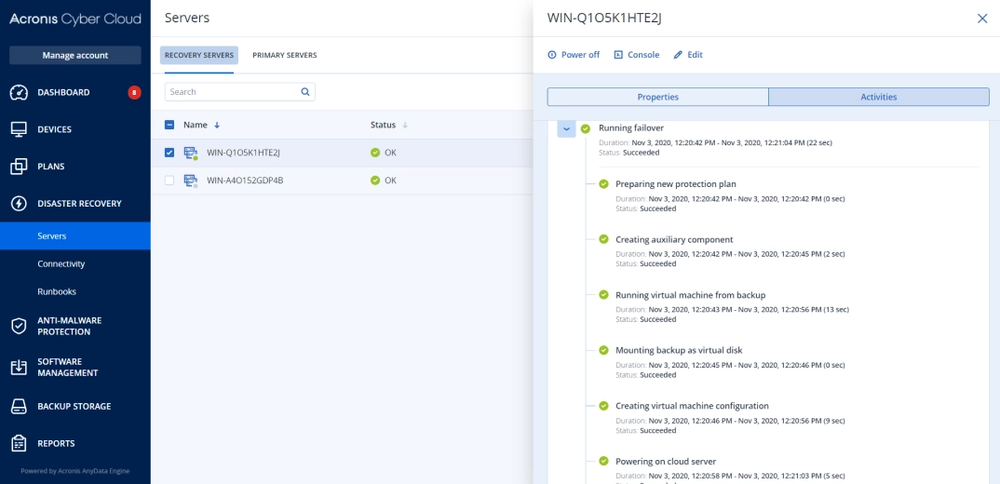
  • Fail over: Select a recovery point and start a server or execute a runbook to bring several systems online in sequence.
  • Fail back: Transfer workloads and changes back after the original environment is ready, then complete a controlled switchover.
From backup to running systems

Recover applications in the right order

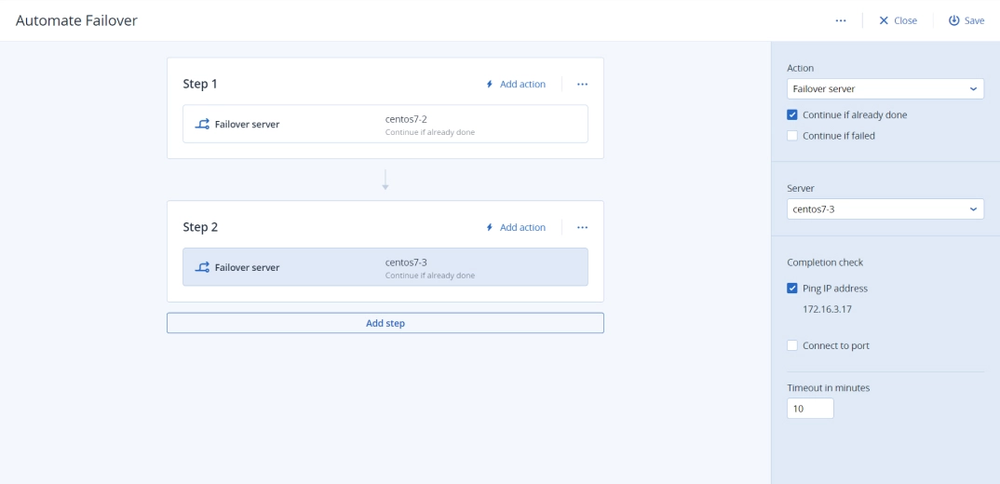
Bring directory services and databases online before the applications that depend on them. Build runbooks with ordered steps, parallel actions and completion checks, then execute the plan from the console when recovery is needed.

Run the same sequence in test mode to uncover missing dependencies. Follow execution progress and history to see what completed and where intervention is required.

Recover applications in the right order

Test recovery before the business depends on it

Run test failovers in an isolated environment without interrupting production. Schedule automated tests weekly or monthly to check whether recovery servers start successfully, using screenshot analysis and reported results.

Combine automated boot checks with application and network testing to validate the complete service. A successful boot is a useful checkpoint; a working business application is the outcome that matters.

Test recovery before the business depends on it

Recover with security context. Return with less disruption.

Combine disaster recovery with Acronis backup scanning to identify recovery points with detected malware before selecting a point for failover. Immutable backup storage and encryption help protect the recovery copies you rely on.

When production is ready, use incremental failback to transfer changed data while the cloud workload continues running. Monitor transfer progress and estimated downtime, then schedule the final switchover.

Recover with security context. Return with less disruption.

Put your recovery plan into action

Point-in-time failover

Point-in-time failover

Choose an available recovery point to restart a workload from the state that fits the incident.
Recovery point monitoring

Recovery point monitoring

Set RPO thresholds and track whether recovery points are recent enough for your protection objectives.
Flexible connectivity

Flexible connectivity

Use site-to-site VPN, point-to-site access or multisite IPsec connections to support recovery across locations.
Network configuration

Network configuration

Configure DNS and supported network segments so recovered applications can communicate with dependencies.
Encrypted backup support

Encrypted backup support

Use supported encrypted backups for recovery, with credentials configured for required DR operations.
Recovery visibility

Recovery visibility

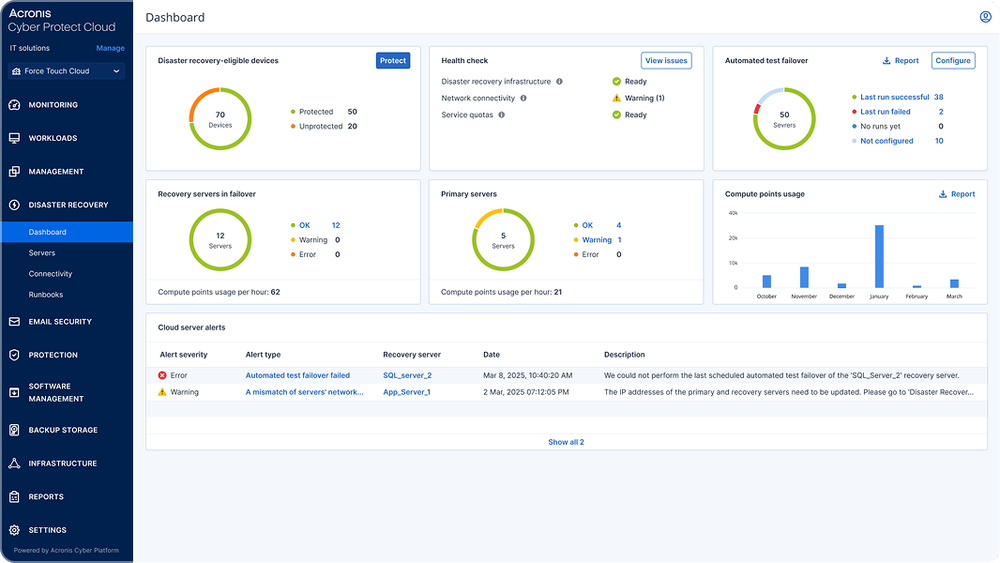
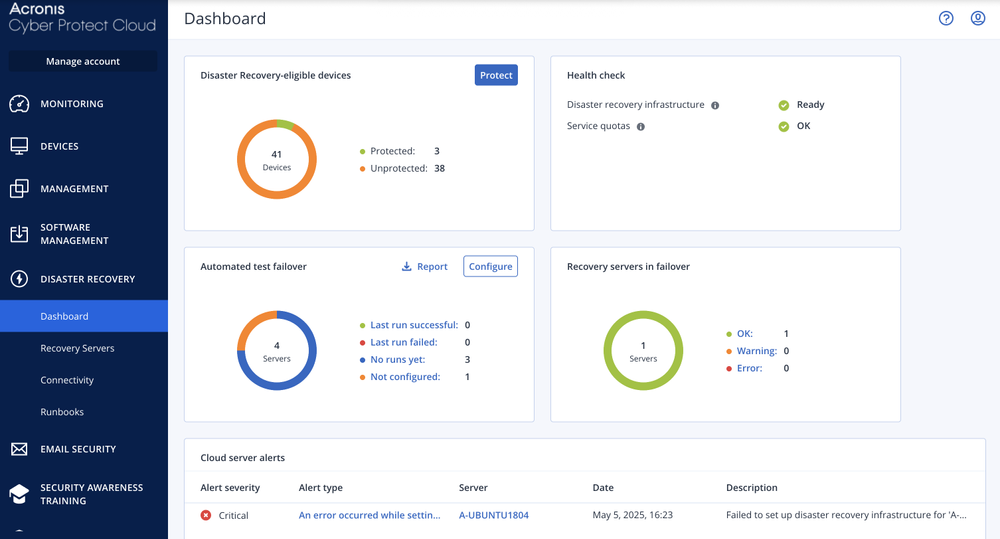
Monitor recovery servers, infrastructure health, alerts and test results to focus attention on gaps.

Choose the recovery approach that fits the workload

Compare cloud disaster recovery with building and operating a secondary site or relying on backup restoration alone.

DRaaS in Acronis Cloud

DIY secondary site

Backup only

Cost model

Service and usage charges; no second site to build

Infrastructure, licenses and ongoing site costs

Backup software and storage; recovery infrastructure still needed

Recovery time

Cloud failover; timing depends on the tested configuration

Depends on replication and standby design

Depends on restore volume and available infrastructure

Testing

Isolated failover tests and runbooks

Build and maintain your own test process

Validate backups and test restores

Staff effort

One console for backup and DR

Operate the secondary environment and recovery tools

Manage backup plus system restoration

Site separation

Off-site cloud recovery location

Arrange a separate location

Only if off-site copies are configured

See recovery readiness in practice

How to buy Acronis Disaster Recovery

Monthly usage

Service Providers

Add DR to existing backup relationships, manage multiple customers and demonstrate value through recovery testing.

  • License: Acronis Disaster Recovery
  • Deployment: Cyber Platform cloud service
Annual subscription

IT Departments

Keep control of recovery plans, testing and failback without operating a second data center.

  • License: Disaster Recovery add-on for Acronis Cyber Protect
  • Deployment: Cyber Platform cloud service

Looking for help?

Frequently asked questions

Product help

In case you have any difficulties, we have collected all the useful materials for this product in our FAQ, Video Tutorials and Documentation. Also you can always ask your question on our Discussion Boards.

Technical support

Customers with active product maintenance or subscription are entitled to 24/7 technical support. Follow the instructions at the Technical Support Site to get prompt support by phone, chat or e-mail.

Sorry, your browser is not supported.

It seems that our website is incompatible with your current browser's version. Don't worry, this is easily fixed!
To view our complete website, simply update your browser now or continue anyway.